Courses
Create the Courses Table with a Migration
Next, the Courses table. Every course belongs to a department, has a name and a unique code, and carries a number of credits:
- Auto-incrementing primary key
Id DepartmentId— a foreign key to theDepartmenttable- Required
Namecolumn (max 100 characters) - Required and unique
Codecolumn (max 20 characters) - Required
Creditcolumn
The foreign key is what keeps each course tied to its department.
using FluentMigrator;
namespace CourseTutorial.Migrations.DefaultDB;

[DefaultDB, MigrationKey(20250615_1220)]
public class DefaultDB_20250615_1220_Courses : AutoReversingMigration
{
    public override void Up()
    {
        Create.Table("Courses")
            .WithColumn("Id").AsInt32().IdentityKey(this)
            .WithColumn("DepartmentId").AsInt32().NotNullable()
                .ForeignKey("FK_Courses_DepartmentId", "Department", "Id")
            .WithColumn("Name").AsString(100).NotNullable()
            .WithColumn("Code").AsString(20).NotNullable().Unique()
            .WithColumn("Credit").AsInt32().NotNullable();
    }
}
Verify the Migration Worked
Let's make sure the migration did what we expect:
- Locate the
Coursestable in SQL Server Management Studio (SSMS) or Visual Studio - Check the migration history in the
[dbo].[VersionInfo]table - Confirm the foreign key between
Courses.DepartmentIdandDepartment.Idexists
Tip: You can also verify these from the command line, as shown in the Department migration section:
sqlcmd -S "(localdb)\MsSqlLocalDB" -d <YourProjectName>_Default_v1 -Q "EXEC sp_help 'dbo.Courses'; SELECT Version FROM dbo.VersionInfo ORDER BY Version;"
If all three check out, the schema matches the design.
Generate the Code with Sergen
Time to generate the Courses code:
- Select the
dbo.Coursestable - Specify
CourseDBas the module name - Retain the default
Alloption
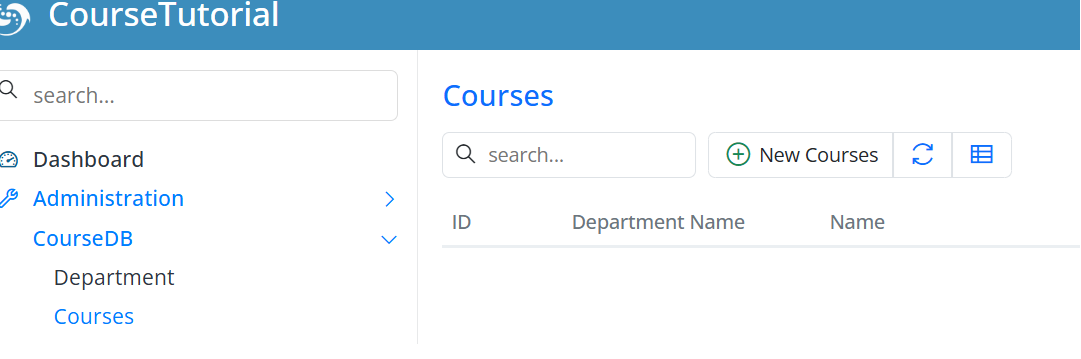
After generation, start the app and you'll see Courses in the navigation, ready for full CRUD.
Add Some Sample Courses
Add a few courses now — you'll use them when creating enrollments in the next section.
Open the CourseDB → Courses screen and create:
| Department | Course | Code | Credit |
|---|---|---|---|
| Computer Science | Introduction to Programming | CS101 | 4 |
| Computer Science | Data Structures | CS201 | 4 |
| Mathematics | Calculus I | MATH101 | 3 |
| Physics | Physics I | PHYS101 | 3 |
Keep these course codes handy — we'll reference them when we build the student–course relationships.
Next, we'll create the Students and StudentCourses tables to model that relationship.